ADHD-friendly
The same layout every time: one bold sentence, two to four bullets with bold key words, one example, and a boxed “Remember” or “Next step”.

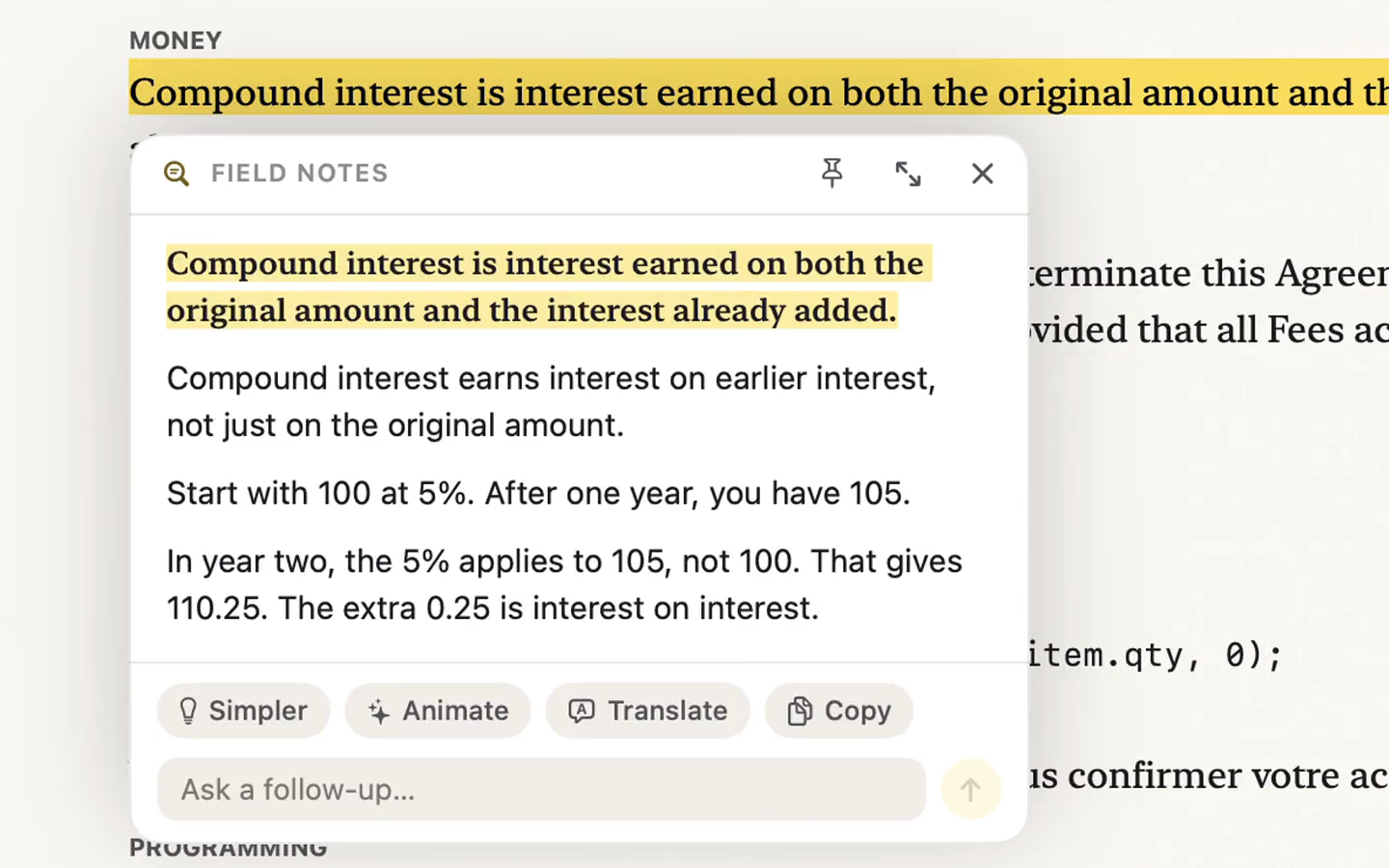
Glossbeam explains whatever you select (a contract clause, someone else’s code, a page in another language) in a small balloon right beside it.
Free with your own keyfrom $4.99 a month with answers includedopen source
Mac beta · macOS 14 or later
Just beam it.
Compound interest is interest earned on both the original amount and the interest already added.

const total = items
  .filter(item => item.inStock)
  .reduce((sum, item) => sum + item.price * item.qty, 0);
Veuillez trouver ci-joint le devis révisé ; merci de nous confirmer votre accord avant vendredi.

12.2 Termination for convenience. Either party may terminate this Agreement for convenience upon thirty (30) days' prior written notice to the other party, provided that all Fees accrued through the effective date of termination shall remain due and payable.

An explanation of a contract is not legal advice.
Some things are easier to watch than to read. Press Animate on an answer and Glossbeam draws a short animation of it, in the same window.

Drawing an animation takes about half a minute; the recording shortens that wait. An animated answer uses several times the credits of a written one.
Compare how Glossbeam explains one sentence about closures.
A closure captures variables from the scope where it was created.
The same layout every time: one bold sentence, two to four bullets with bold key words, one example, and a boxed “Remember” or “Next step”.
Short plain sentences, one idea per line, and the point again in a boxed “In short”.

A direct answer with supporting detail.

The gist in one or two sentences.

Everyday words and one comparison from daily life, boxed as “Like this”.

Numbered steps, ending with a boxed “Result”.

Dense and precise, with no basics.

It explains, then asks one boxed “Check yourself” question. Your reply to it gets marked.

Download, open, read: the answers are included from $4.99 a month, with nothing to set up. Or use it free with your own Anthropic API key.
The Mac app is open source on GitHub, under Apache-2.0. Build it with Xcode and use your own Anthropic or OpenAI key, or your ChatGPT plan.
On Mac + Hidden, one setting asks macOS to leave the balloon out of a screen share. We checked Google Meet on 23 November 2026; Zoom and Microsoft Teams are not verified, so check your own call app first. Glossbeam compared
A searchable history on your Mac, filed by topic, with a map of how answers connect.
Say it once in your own words, and every answer after that follows it.
Choose the moment text is sent, what is left out, and whether the icon shows.
One table of every key.
It is sent to Claude only when your settings allow it: right away, after you click Send, or only when you press the send key. Password fields are never read, and your history stays on your Mac.
Yes. The Mac app’s source is public on GitHub under the Apache-2.0 license: the open edition, with the same name. You build it with Xcode and use your own Anthropic or OpenAI API key, or your ChatGPT plan; it has no companion and needs no Glossbeam account. The download on this site is the official build: signed and notarized, answering with Claude, with plans that include the answers. About the open edition.
Glossbeam is free with your own Anthropic API key: you pay Anthropic for the requests you make. Plans that include the answers, with no key needed, cost $4.99 a month for the Mac, $14.99 a month with the macOS capture setting, and $19.99 a month to add the iPhone and iPad companion. Only the Mac plan starts with a 7-day trial. Mac + Companion is not open yet.
On Mac + Hidden, a setting asks macOS to leave answer windows out of screen sharing. In our Google Meet check on 23 November 2026, the other participant did not see the balloon. We haven’t verified Zoom or Microsoft Teams. A call app may still show the balloon, so check your own first. Silent and Presenting on Mac + Companion send the answer to a linked iPhone or iPad and close the Mac answer windows. Mac + Companion opens with the iPhone and iPad app, which is not available yet. See the comparison.
No. Glossbeam does not use the microphone and has no access to a call’s audio. It explains only the text you select.
Cluely uses the call’s audio and your screen. On November 21, 2026, its pricing page listed screen-share hiding on its $149.99 plan. Glossbeam explains text you select. Mac + Hidden includes the macOS capture setting for $14.99 a month. Mac + Companion adds phone-only answers for $19.99 a month. Mac + Companion opens with the iPhone and iPad app, which is not available yet. See the comparison.
Glossbeam is a Mac menu-bar app that explains any text you select. The explanation, written by Claude, opens in a small balloon beside the text.
A mode sets several things at once: where answers appear, when a selection is sent, how chats are kept, how answers are written, and whether the menu bar icon shows. Your Mac has three built in, Balloon, Study and On demand, and ⌃⌥M steps to the next one. Silent and Presenting send answers to an iPhone or iPad, so they appear only with Mac + Companion. More about modes.
Yes. There are eight styles, from Brief to Step by step, and Your own instructions in Settings > Answers adds a note to every request. More about styles.
Yes. Type it once in your own words, with ⌃⌥T or in the menu bar popover, and every selection after that is answered that way until you change it or drop it. More about telling it.
Mac beta · macOS 14 or later